Product tour · features
Everything a packaging buyer needs. Nothing generic-ERP.
PackFlow replaces WhatsApp threads, Excel SKU sheets and email proofs with one portal: dashboard, SKUs, approvals, tracking, COAs, documents, POs, forecasts, deliveries, invoices, support. Below is exactly what each module does.
1 · Dashboard
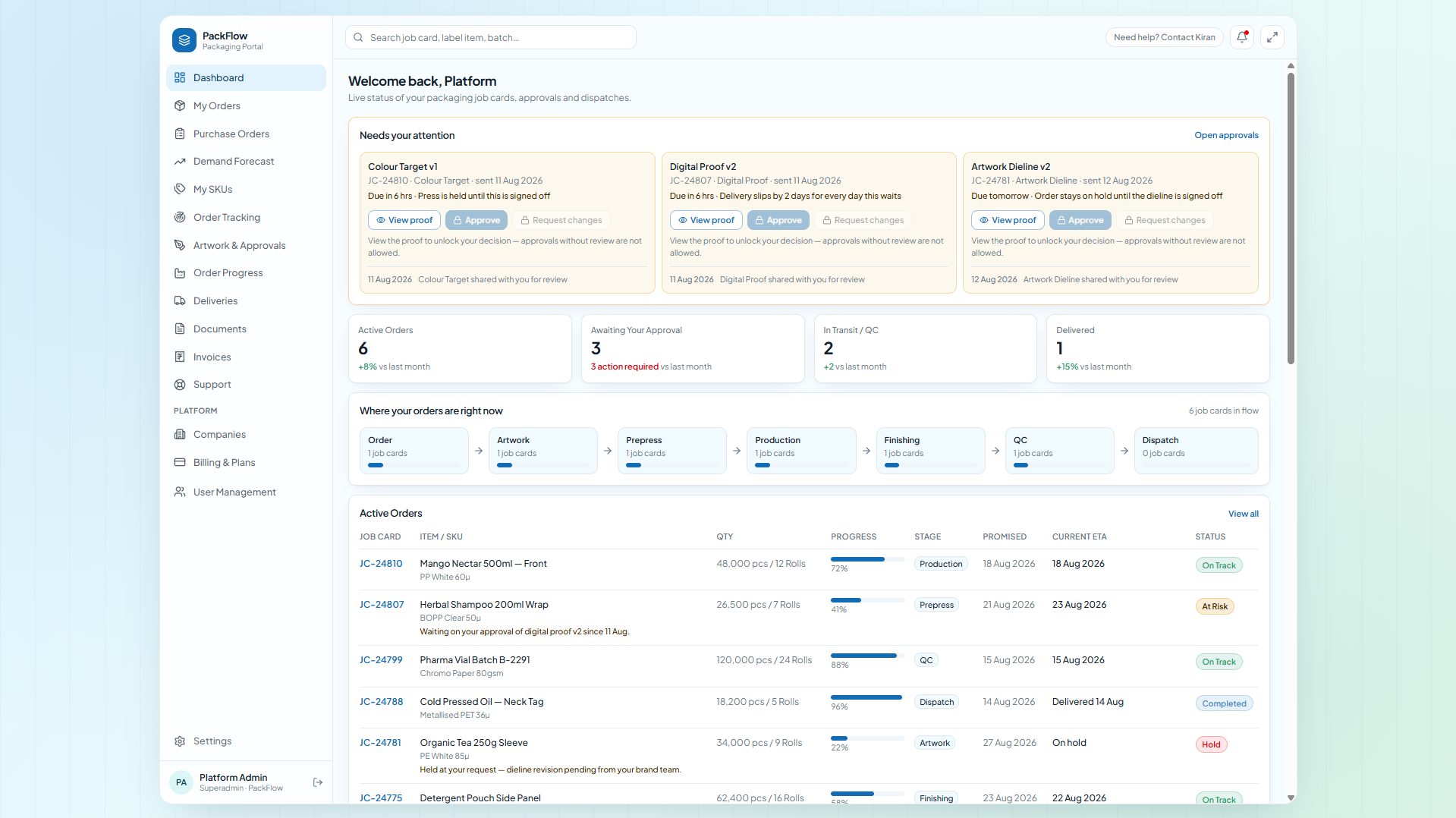
One glance: what needs you today
Active Orders, Awaiting Approval, In QC / Transit, Delivered. 7-stage pipeline strip, live orders table (Job Card, Item, Qty, Progress, Stage, Promised vs ETA, Status), produced-vs-dispatched trend, status donut, recent activity, upcoming deliveries, quality scorecard, recent documents.
- “Needs your attention” approval cards
- Health flags: On Track / At Risk / Hold
- Weekly production trend per customer org
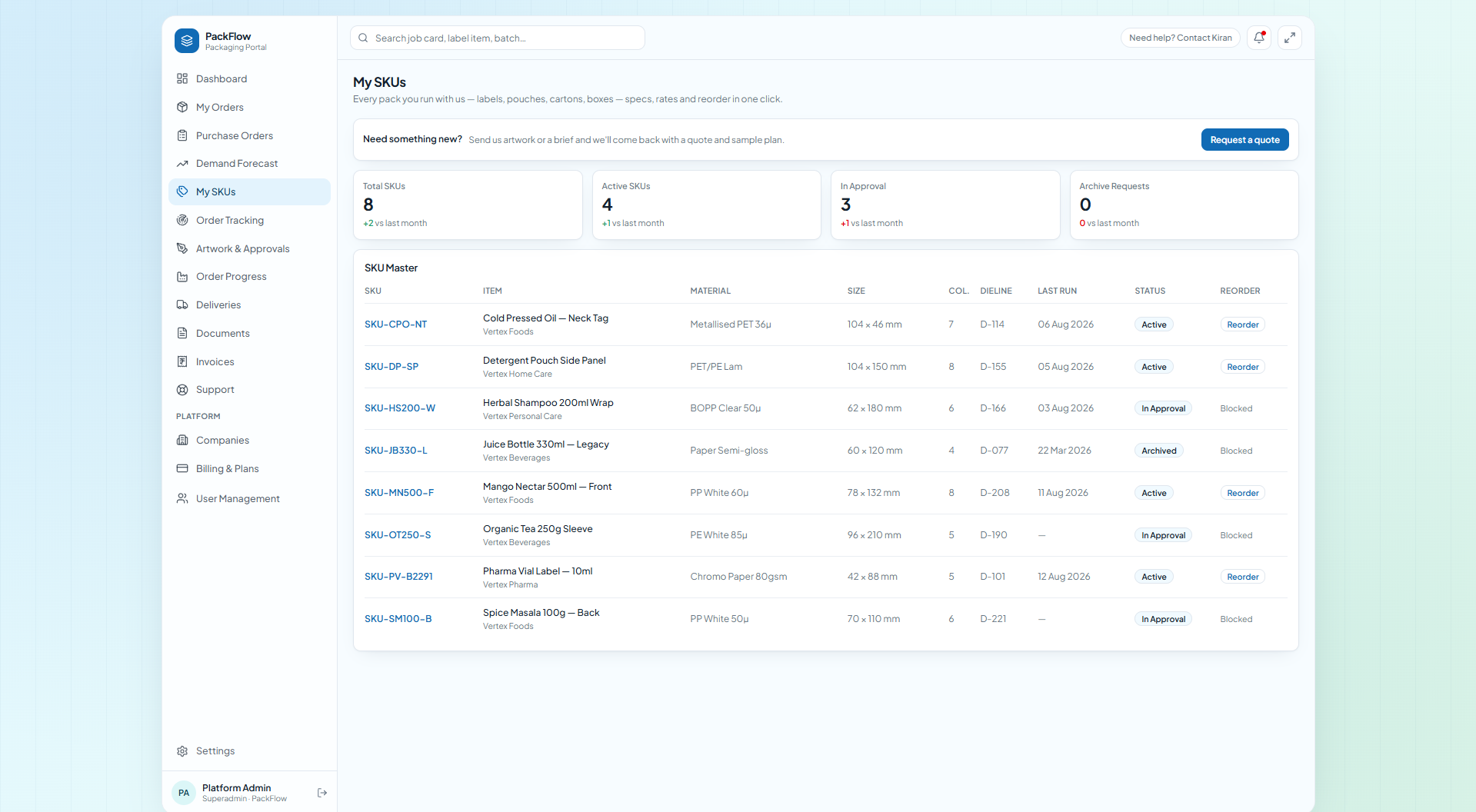
2 · My SKUs · SKU master
No more wrong-dieline reprints
Every SKU — label, pouch, carton or box: code (e.g. SKU-MN500-F), brand, material (PP White / PET-PE laminate / CCNB), size, colours (CMYK + spots), dieline file, finish, MOQ, rate, revision (Rev N), last run, YTD. Status Active / In Approval / Archived. Reorder in 1 click — qty prefilled, MOQ enforced, blocked if not Active. Archive flow: customer requests with reason → vendor marks inactive & clears finished-goods stock with qty → audit trail for settlement.
- Revision-tracked dielines + spec sheets
- 1-click Reorder with MOQ guardrails
- Mutual-clearance archive (no orphan stock)
3 · Artwork & approvals
View-gated proofs. The line never waits blind.
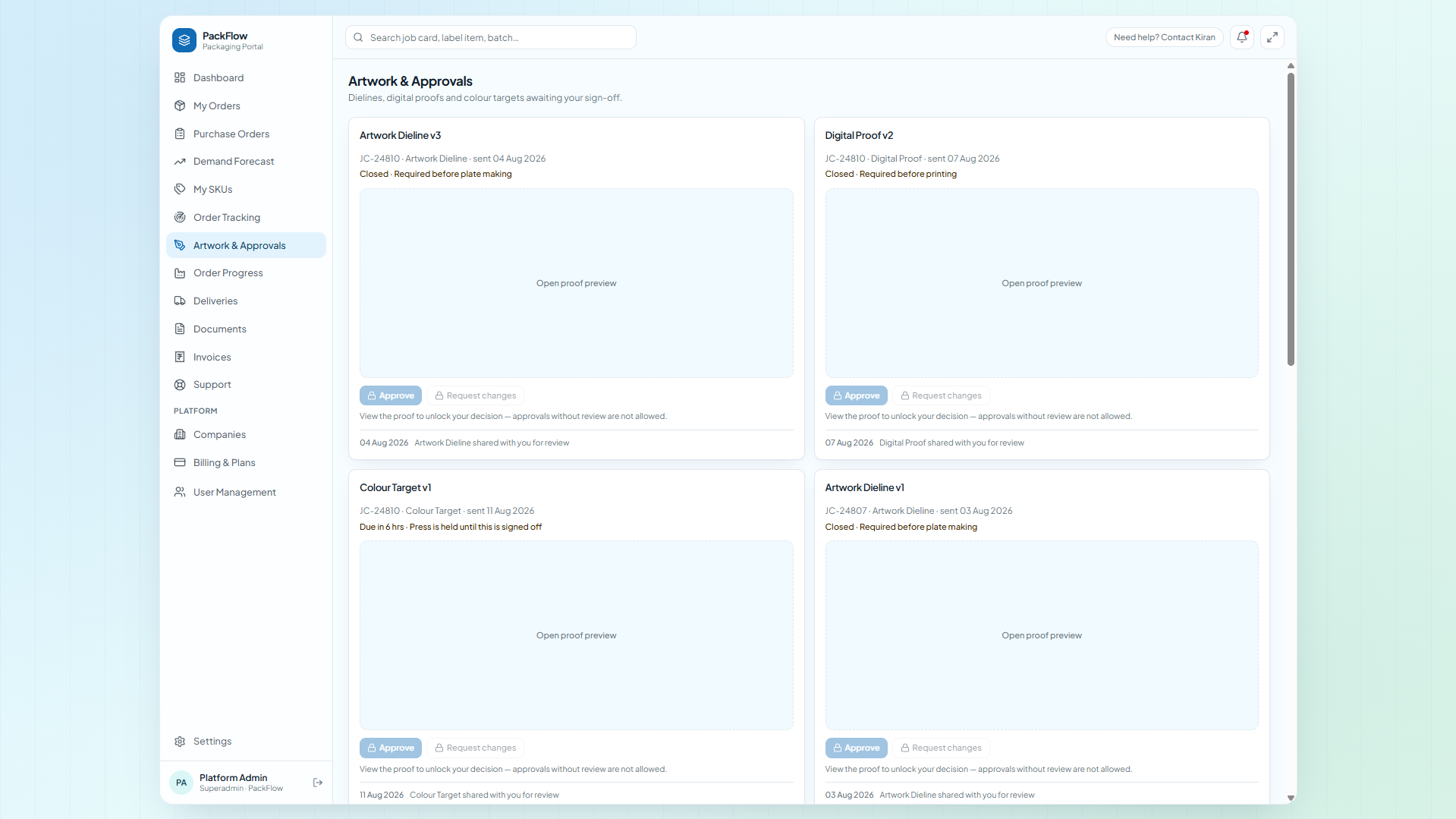
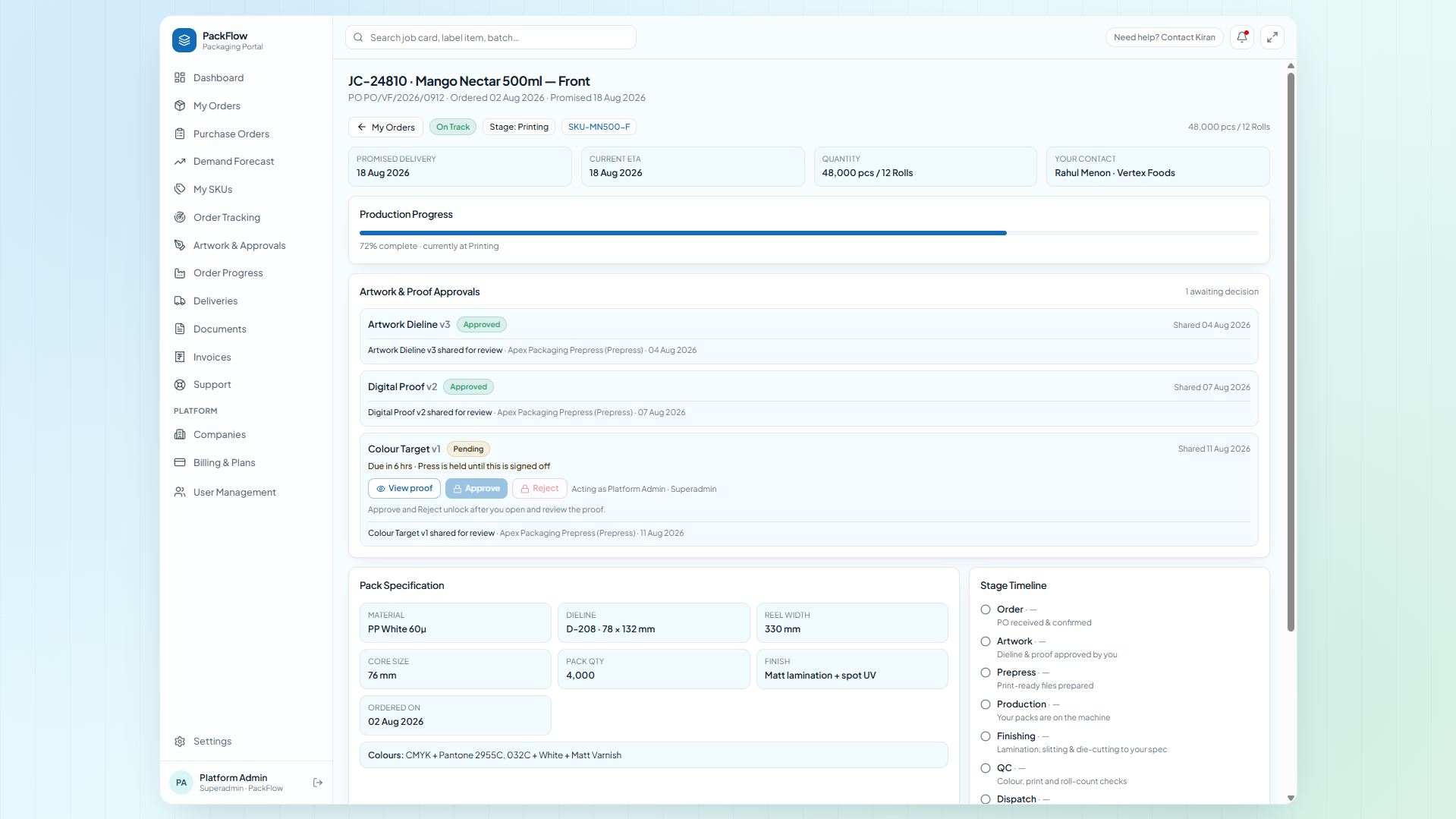
Dielines, digital proofs, colour targets with due date, sent-on, and line impact (“holds FP-02”). The proof viewer must render before Approve / Request changes / Reject unlock — views are timestamped. Rejections require a reason. Only canApprove roles (e.g. Brand Owner) can sign; others are view-only.
- Dieline + proof + colour target per job
- Due + impact shown upfront
- Full actor · role · timestamp trail
4 · Orders + production tracking
Job Card JC-xxxxx, cradle to dispatch
Customer proposes (SKU, qty, need-by, deliver-to, PO ref) → Awaiting acknowledgement. Vendor can log offline orders (Email / Phone / WhatsApp / ERP), Acknowledge (assign JC + promised date) or Decline, amend any field, advance stage/health/ETA, or cancel with reason. Pipeline: Order → Artwork → Prepress → Production → Finishing → QC → Dispatch. Batches with qty + batch IDs + QC verdicts. Customers see stage/ETA/health/note — internals keep costing and shop notes private.
- Propose vs Log-for-customer (omnichannel)
- Promised vs current ETA + health
- Batches, qty, QC per job
5 · Quality / COA
Audit-ready, every dispatch
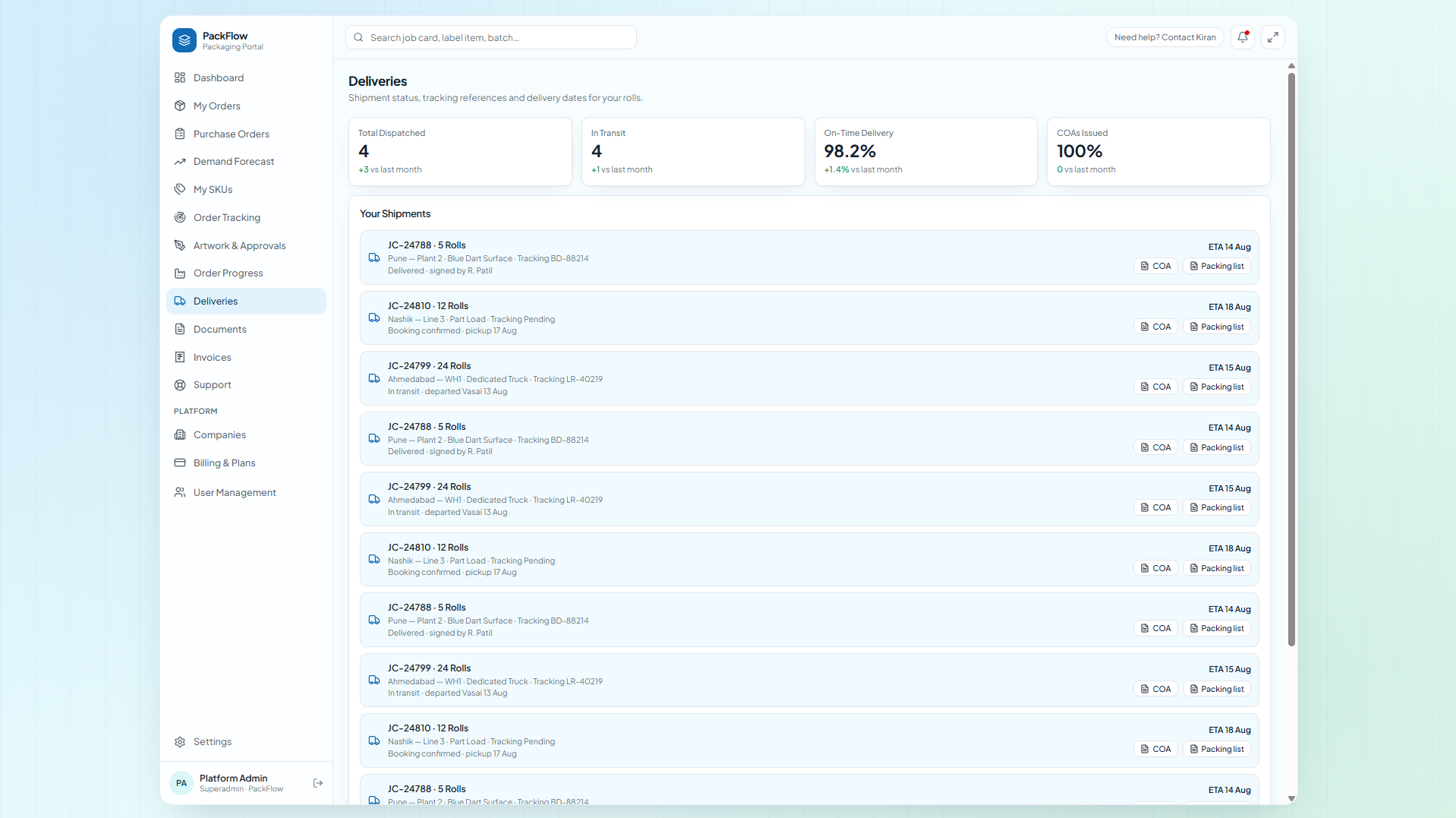
Batch-wise QC (Pass / Pending / Rework) across flexo, gravure, offset and corrugation lines — lamination, slitting, die-cutting, pasting. COA-{JC}.pdf generated per dispatch, linked to the shipment and the invoice. Quality scorecard: on-time %, COAs issued, dispatched runs. Deliveries carry COA + Packing List buttons — no audit scramble.
- Batch B-xxxx + QC verdict per roll
- COA attached to delivery + job
- On-time + COA scorecard
6 · Documents vault
Every PDF, searchable by job card
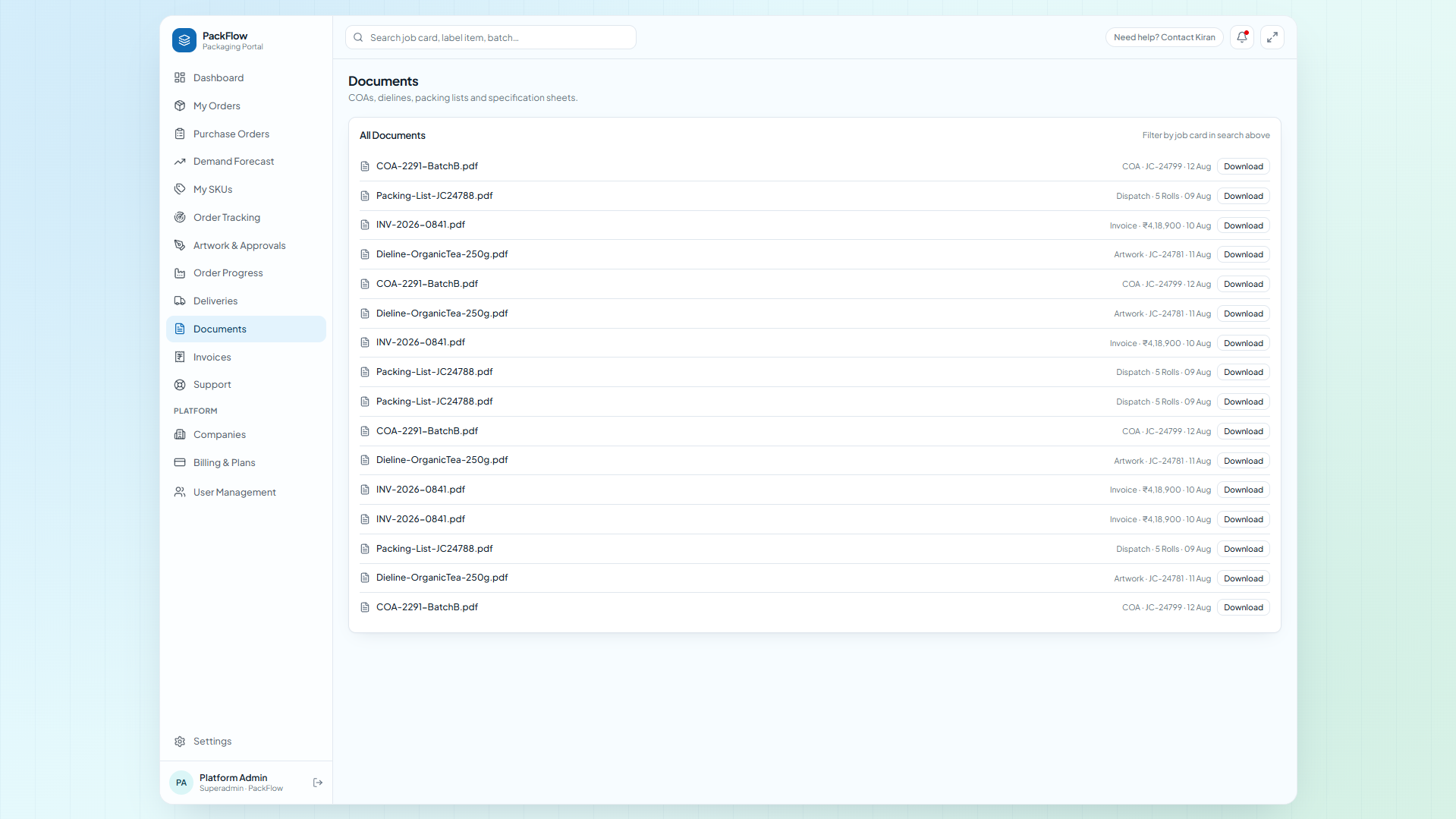
Dieline-{die}.pdf, Proof-{JC}-v2.pdf, COA-{JC}.pdf, Packing-List-{JC}.pdf, spec sheets — filterable by job card, type, date. What the dashboard calls “Recent Documents” and deliveries call “COA + Packing List” is the same vault.
- Search by JC / SKU / batch
- Versioned proofs (v1, v2…)
- Customer sees only their org’s files
7 · POs, forecast & invoices
Procurement without the spreadsheet
Multi-line POs against approved SKUs: PO number, ship-to, payment terms, qty, rate, need-by, value. States Draft → Submitted → Acknowledged → In Production → Closed (Manual or Released-from-forecast). Rolling 3–12 month forecast by SKU: Indicative vs Committed (committed blocks material + line slot). Release any month → Create PO. Invoices: Billed MTD, Open, Overdue, Avg Payment Days.
- Forecast → PO in one click
- Committed = material + slot blocked
- Invoice ageing built in
In-app screenshot slot
A capture for procurement lands here — see the Tour page. Until then this copy explains the module.
8 · Deliveries + support
Last mile, accounted for
Deliveries: job, qty, destination, mode, AWB/tracking, ship status, ETA + COA/packing list. Support: raise by Job Card no. + message, track Open / Pending / Resolved. Admin: invite/enable/disable users, assign internal (Administrator, Production Manager, Prepress, Customer Service) vs customer (Brand Owner, Procurement, Quality Viewer) roles.
- AWB + ETA per shipment
- Tickets tied to job cards
- Role-based access throughout
See it on your own SKUs — 30 min.